Set your group and number onceAutoLotto720 buys and checks results for you each week
AutoLotto720 is an Android app for weekly auto purchase of DHLottery Pension Lottery 720+ on your chosen day and time. It checks for wins and sends notifications after Thursday's draw.
- Account information encrypted only on your device
- Open source, with no ads or subscriptions
- Interface in Korean, English, and Japanese
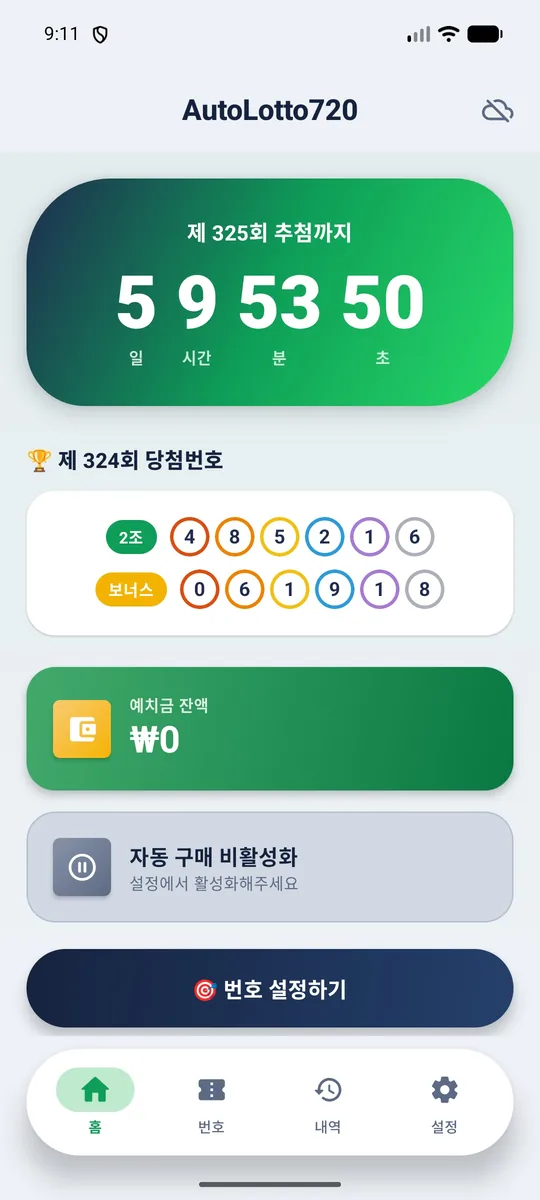
From group and number settings to win notifications
The app automatically purchases, checks for wins, and sends notifications at the scheduled times without being opened
- 01
Group and number
For up to 5 tickets in games A–E, set each group and 6-digit number manually for weekly use or automatically for a new assignment each week
- 02
Scheduled auto purchase
Buy with saved settings on your chosen day and time, defaulting to Friday at 9:00 AM, except Thursday 17:00–22:00 when sales are suspended
- 03
Results check
Results are checked automatically every Thursday at 21:00 after the 19:05 draw, with the prize rank and winnings shown for each game
- 04
Notifications
Receive push notifications for completed purchases, results, and low deposit balances; notification text is in Korean only
Key features
Manage groups, numbers, purchases, history, and your deposit in one app
Per slot and All-groups set
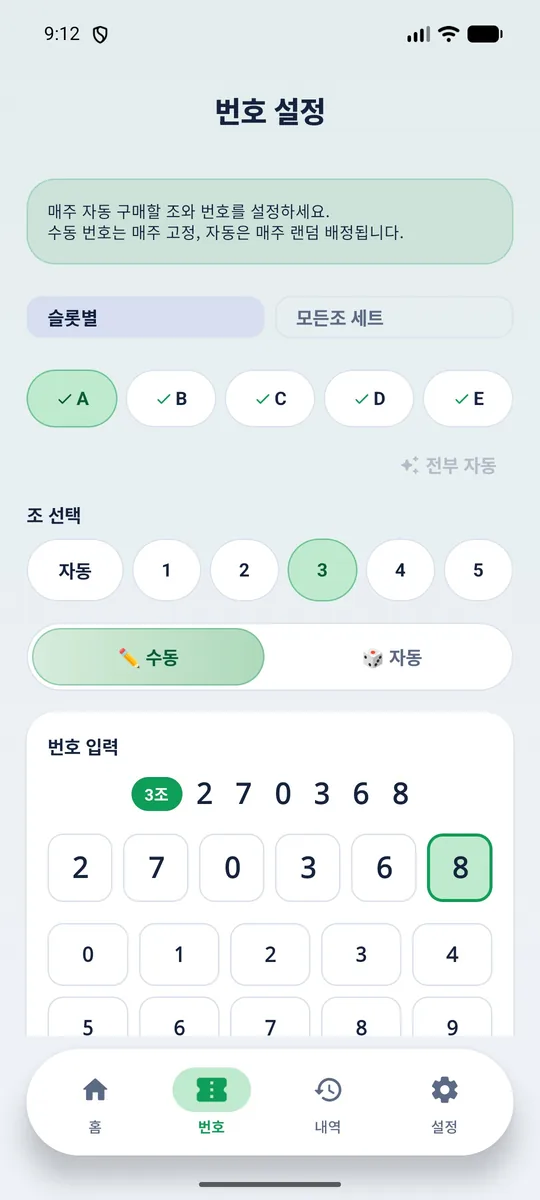
In Per slot, choose Full Auto, an automatically assigned number with a group you select, or manual entry of a group and 6-digit number for each game; use All Auto to switch all games to automatic. An All-groups set gives you 5 tickets, 1 for each of groups 1–5, with the same automatic number for 5,000 won.
Scheduled auto purchase and limits
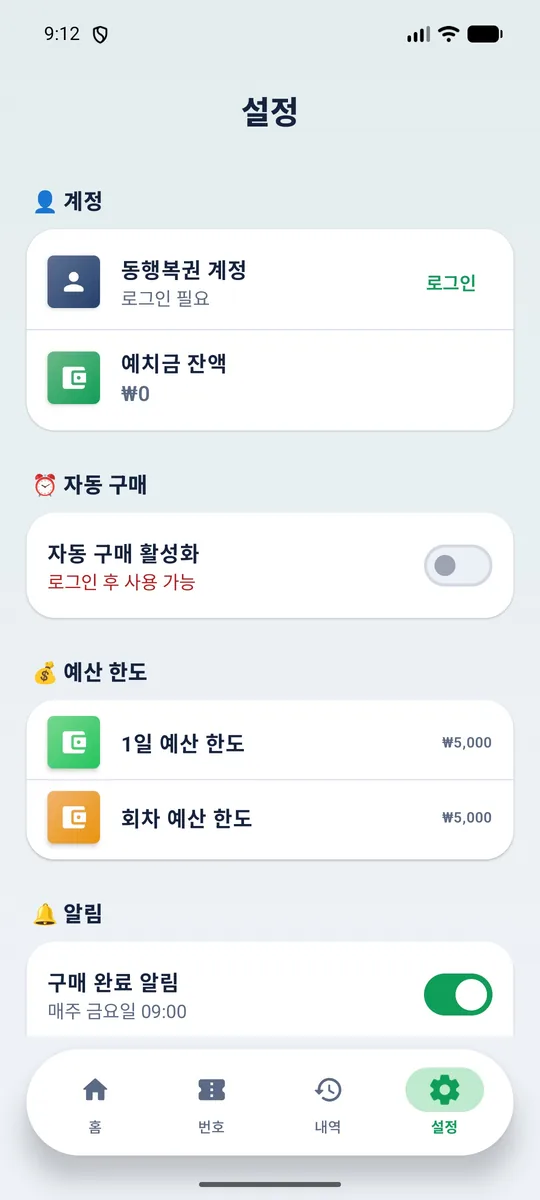
Change the purchase day and time, check your deposit balance, and open the DHLottery deposit page; the app blocks purchases over your daily budget limit or per-draw budget limit, each set to 5,000 won by default. It also guides you through excluding the app from battery optimization for on-time execution.
Buy Now
Pay immediately for games saved in the Numbers tab, or use Buy More for automatic games in a draw you have already purchased
Duplicate payment prevention
The app blocks duplicate auto purchases for the same draw and checks purchase history instead of retrying when there is no payment response
Purchase history
View the last 3 months automatically or select “Show more” for up to 1 year, with groups, numbers, ranks, and prizes by draw
Low balance alert
Get a daily alert when your deposit balance is at or below your threshold of 5,000, 10,000, or 20,000 won, or a custom amount; the default is 5,000 won
In-app updates
Install a new version with one tap, with the package name and signature verified before installation
Secure storage
Account information is encrypted with Android Keystore and stored only on your device, used only for DHLottery login, and never sent to our own or 3rd-party servers
How to use
App installation
Download the APK from this page and install it, allowing “Install unknown apps” when prompted
DHLottery login
Sign in with your DHLottery ID and password in the Settings tab
Save groups and numbers
In the Numbers tab, choose Per slot or All-groups set, then select and save your groups and numbers
Enable auto purchase
Enable auto purchase in the Settings tab to purchase automatically each week
Frequently asked questions
What do I need to use AutoLotto720?
You need a DHLottery account at dhlottery.co.kr and enough deposit to cover your purchase; 1 ticket costs 1,000 won. Add to your deposit on the DHLottery website using the link to the deposit page in the app.
Is my DHLottery account information secure?
Your account information is encrypted with Android Keystore, stored only on your device, and used only to sign in to DHLottery; the app has no server of its own. You can verify this in the public source code on GitHub.
Why isn't AutoLotto720 on Google Play?
Google Play's gambling policy does not allow lottery purchase apps. The APK is distributed through GitHub releases, and you can install new versions through in-app updates.
How many tickets can I buy per draw?
DHLottery limits online purchases to 5 tickets per draw, totaling 5,000 won. Its server determines whether you exceed the limit and rejects any excess.
What happens if my chosen number has already been sold?
In the Numbers tab, choose whether to have both the group and number assigned automatically, keep the group and have the number assigned automatically, or cancel the purchase. By default, both the group and number are assigned automatically.
Does AutoLotto720 support iPhone?
AutoLotto720 requires Android 12 or later. There is no iPhone app.
Will auto purchase work when the app is closed?
Auto purchase runs at the scheduled time without opening the app and requires an internet connection. To help it run on time, exclude the app from battery optimization; you cannot schedule purchases during the Thursday 17:00–22:00 sales suspension.
Is this an official DHLottery app?
This is not an official DHLottery app; it was developed by UMI Corp, and you are responsible for your use of it. People under 19 cannot purchase lottery tickets.
AutoLotto720 download
Get the APK from the latest GitHub release for free
- DHLottery account and deposit required
- No purchases under age 19
- Not an official DHLottery app